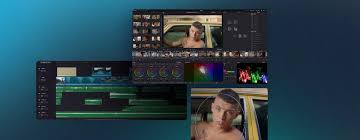
TL;DR: DaVinci Resolve 19.1.3 — free professional video editor. Windows 10/11 (2.4 GB), macOS 12.6+, Linux. Studio version $295 one-time. Download now ↓
The world's most advanced professional video editing, color grading, VFX and audio post-production software. Free forever.
| Platform | Version | File Size | Requirements |
|---|---|---|---|
| Windows | 19.1.3 | ~2.4 GB | Windows 10/11 (64-bit), 16 GB RAM, GPU 2 GB VRAM |
| macOS | 19.1.3 | ~2.6 GB | macOS 12.6 Monterey or later, Apple Silicon or Intel |
| Linux | 19.1.3 | ~2.5 GB | CentOS 7.3, glibc 2.17+, GPU with OpenCL 1.2 |
Professional timeline editing with multicam, trimming tools, dynamic zoom, speed effects and keyframe animation. Export up to 4K at 60fps.
Industry-standard color grading with primary and secondary wheels, curves, qualifiers, power windows, node-based workflow and LUT support.
Professional audio workstation with 3D audio, noise reduction, dialogue leveler, ADR tools and full DAW-like mixing environment.
Node-based compositing for motion graphics, 2D and 3D visual effects, keying, rotoscoping, paint tools and particle systems.
Native Apple Silicon support on M1, M2, M3 and M4 chips. Optimized performance with Metal GPU acceleration.
Free version is powerful enough for most projects. Studio ($295 one-time) adds AI tools, multi-GPU support, collaboration and advanced format support.
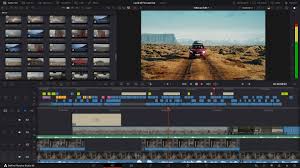

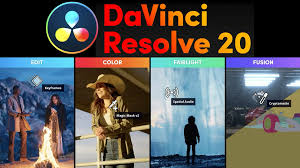
DaVinci Resolve is developed by Blackmagic Design and is used on more feature films, TV shows and commercials than any other software. It combines professional video editing, color correction, visual effects and audio post-production in a single application.
Yes. The free version of DaVinci Resolve is not a trial — it has no time limit, no watermark and no feature expiry. It includes full video editing, color grading, Fairlight audio and Fusion VFX. The only limitations are in Studio-exclusive features like AI-powered tools, multi-GPU rendering and collaboration. See our Free vs Studio comparison.
DaVinci Resolve requires a modern GPU for smooth performance. Minimum recommendations:
No account required to download. No subscription. No watermark.
⬇ Download for Windows ⬇ Download for MacYes. DaVinci Resolve has a fully free version with no time limit, no watermark and no subscription required. It includes video editing, color grading, Fairlight audio and Fusion VFX.
The latest stable version is DaVinci Resolve 19.1.3. It includes AI-powered subtitle generation, improved timeline performance and new color science features.
Yes. DaVinci Resolve 19.1.3 fully supports Windows 10 and Windows 11 (64-bit). A dedicated GPU with at least 2 GB VRAM is recommended.
DaVinci Resolve requires a minimum of 16 GB RAM on Windows and Linux, and 8 GB on macOS. For 4K editing and color grading, 32 GB or more is recommended.
DaVinci Resolve Studio is the paid version ($295 one-time, no subscription). It adds AI-powered tools like Magic Mask and Voice Isolation, multi-GPU rendering, collaboration features, and support for professional codecs like HEVC, H.265 and RAW formats.
Yes. DaVinci Resolve runs natively on Apple Silicon (M1, M2, M3, M4) with full Metal GPU acceleration. Download the macOS version from our download page.
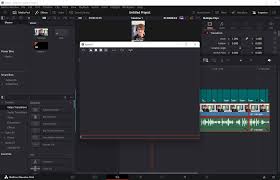
Download the best free subtitle generator plugin for DaVinci Resolve. Auto-generate captions in minutes.
Free timeline transitions and effects pack for DaVinci Resolve 19. Over 50 professional templates.
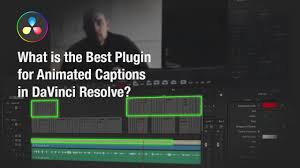
The best AI-powered caption plugin for DaVinci Resolve. Auto-generate subtitles with high accuracy.
Disclaimer: davinci-resolve.org is an independent download portal, not affiliated with Blackmagic Design. All downloads link to official Blackmagic Design servers. DaVinci Resolve® is a trademark of Blackmagic Design Pty. Ltd. • Privacy Policy • Legal