TL;DR: Download the best free subtitle generator for DaVinci Resolve. Auto-generate captions from speech. Works with DaVinci Resolve 18 and 19. Free download.
Free Subtitle Generator for DaVinci Resolve — Download Guide
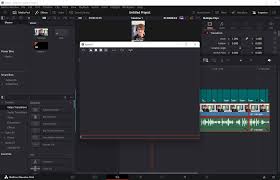
Generating subtitles in DaVinci Resolve used to require a paid Studio license, but there are now several excellent free options that work with DaVinci Resolve 18 and 19. This guide covers the best free subtitle generators and how to use them.
Option 1: Built-in Subtitle Generator (Studio Only)
DaVinci Resolve Studio 19 includes a built-in AI subtitle generator. It automatically transcribes speech and creates subtitles on the timeline. This requires a Studio license ($295 one-time) but is the most accurate option with no additional plugins needed.
Option 2: SubtitleEdit (Free, Any Version)
SubtitleEdit is a free external tool that can transcribe audio using Whisper AI and export SRT files. You then import the SRT into DaVinci Resolve as a subtitle track. This works with the free version of DaVinci Resolve.
- Download SubtitleEdit from its official website
- Open your video file in SubtitleEdit
- Go to Video → Auto-generate subtitle (whisper)
- Export as .srt file
- In DaVinci Resolve: Timeline → Import Subtitle
- Select your .srt file — subtitles will appear on the timeline
Option 3: Whisper AI via Python (Free, Advanced)
OpenAI’s Whisper model is one of the most accurate free speech-to-text tools available. It can be run locally on your computer to generate .srt or .vtt subtitle files that you import into DaVinci Resolve.
Option 4: ElevenLabs / Assembly AI (Cloud, Free Tier)
Several cloud-based transcription services offer free tiers that can generate SRT files from your audio. Upload your audio or video, download the SRT, and import it into DaVinci Resolve.
How to Import Subtitles into DaVinci Resolve
- In DaVinci Resolve, go to the Edit page
- Click File → Import → Subtitle
- Select your .srt or .vtt file
- Subtitles appear as a subtitle track on the timeline
- Adjust timing, font and style in the Inspector
Download DaVinci Resolve Free
Start editing with the best free professional video editor.
⬇ Download DaVinci Resolve