TL;DR: Download a free timeline transitions and effects pack for DaVinci Resolve. 50+ professional templates including lower thirds, titles, transitions and overlays.
Free Timeline Pack for DaVinci Resolve — Download
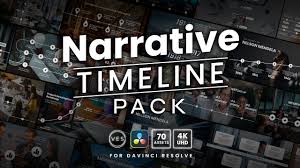
DaVinci Resolve uses Fusion templates (.drfx and .setting files) and DaVinci Resolve Transition Packs for timeline effects. Here are the best free options and how to install them.
What’s Included in a DaVinci Resolve Timeline Pack?
- Transitions: Smooth cuts, zoom, glitch, film burn, whip pan and more
- Lower Thirds: Animated text bars for names and titles
- Title Templates: Animated opening and closing title cards
- Overlays: Light leaks, grain, vignette and cinematic bars
- Motion Graphics: Animated logo reveals, countdown timers, call-to-action boxes
How to Install DaVinci Resolve Templates
Method 1: Drag and Drop (.drfx files)
- Download the .drfx template file
- Open DaVinci Resolve and go to the Edit page
- Open the Effects Library panel on the left
- Drag the .drfx file directly into the Effects Library
- The template will appear under Toolbox → Video Transitions
Method 2: Copy to Templates Folder (.setting files)
- On Windows: copy files to
C:\Users\[username]\AppData\Roaming\Blackmagic Design\DaVinci Resolve\Fusion\Templates - On Mac: copy to
~/Library/Application Support/Blackmagic Design/DaVinci Resolve/Fusion/Templates - Restart DaVinci Resolve
- Templates appear in Effects Library under Fusion Generators or Transitions
Where to Find Free DaVinci Resolve Templates
- Motion Array — large library with free section
- Mixkit — completely free DaVinci Resolve templates
- BlackmagicDesign.com — official DaVinci templates and presets
- DaVinci Resolve Forum — community-shared free templates
Download DaVinci Resolve Free
Start editing with the best free professional video editor.
⬇ Download DaVinci Resolve